
Bageto (Tom B.) - 19/10/2025
You have been presented with the opportunity to work as a junior DFIR consultant for a big consultancy. However, they have provided a technical assessment for you to complete. The consultancy Forela-Security would like to gauge your Windows Event Log Analysis knowledge. We believe the Cyberjunkie user logged in to his computer and may have taken malicious actions. Please analyze the given event logs and report back.
https://app.hackthebox.com/sherlocks/LogJammer
1. When did the cyberjunkie user first successfully log into his computer? (UTC)#
Analyze the folder containing the .evtx files using Chainsaw, specifically searching for events where the TargetUserName field equals CyberJunkie.
./chainsaw search -t 'Event.EventData.TargetUserName: "CyberJunkie"' .\Event-Logs\
We have six hints — start by examining the first 4624 (Logon) event.
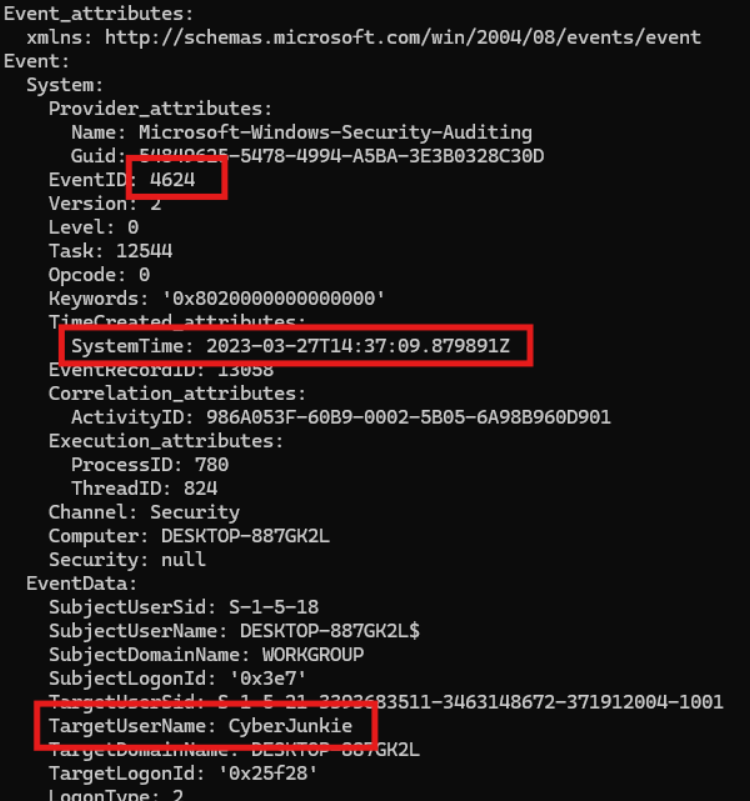
Answer : 27/03/2023 14:37:09
2. The user tampered with firewall settings on the system. Analyze the firewall event logs to find out the Name of the firewall rule added?#
Event ID 2004 indicates that a new rule was added to the Windows Firewall, either manually, via a script, or by an application.
Caution: Event ID 2004 indicates that a new rule was added to the Windows Firewall only when the source is Microsoft-Windows-Windows Firewall With Advanced Security. Otherwise, when the source is Microsoft-Windows-Resource-Exhaustion-Detector, Event ID 2004 signifies that a low memory or resource exhaustion condition has been detected.
./chainsaw search -t 'Event.System.EventID: =2004' .\Event-Logs\ --json --output rulesLogJammer.json
This chainsaw command generate a JSON file containing all Event ID 2004 events (there are many). Afterwards, I wrote a PowerShell script to parse the file and output the distinct values of “RuleName.”
Get-Content .\rulesLogJammer.json | ConvertFrom-Json |
Group-Object { $_.Event.EventData.RuleName } |
ForEach-Object {
    $_.Group[0] | Select-Object @{Name="RuleName";Expression={ $_.Event.EventData.RuleName }}
} | Sort-Object RuleName -Unique
A RuleName is atypical and warrants further review.
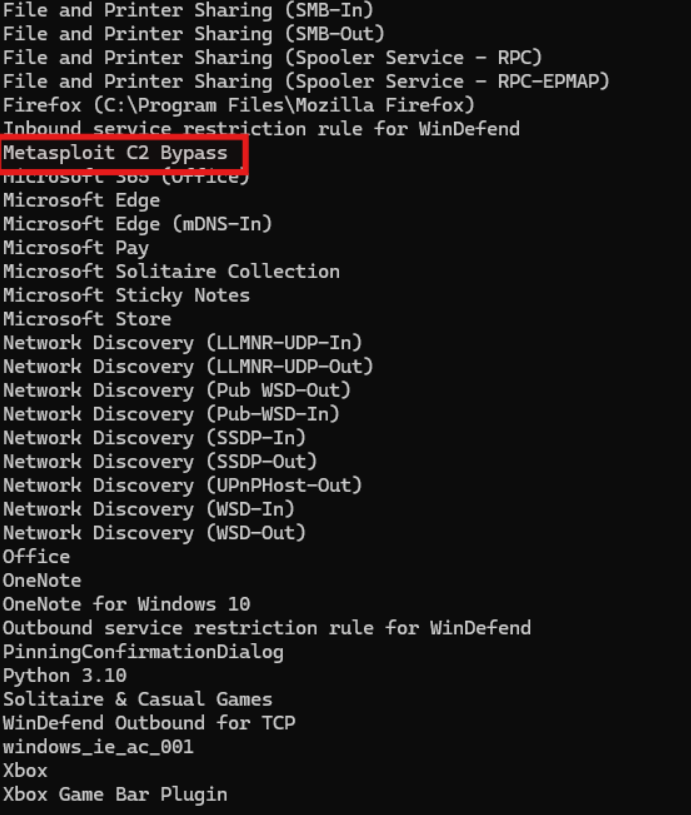
Let’s open the JSON file and search for this specific pattern to have more details (CTRL + F ‘Metasploit’). You’ll find the entire rule.
Answer : Metasploit C2 Bypass
3. Whats the direction of the firewall rule?#
Now that we know the RuleName, open Event Viewer and edit the XML query to display only the events matching that specific RuleName.
<QueryList>
  <Query Id="0" Path="file://C:\Users\Bageto\Desktop\logjammer\Event-Logs\Windows Firewall-Firewall.evtx">
    <Select Path="file://C:\Users\Bageto\Desktop\logjammer\Event-Logs\Windows Firewall-Firewall.evtx">*[EventData[Data[@Name='RuleName'] = "Metasploit C2 Bypass"]]</Select>
  </Query>
</QueryList>
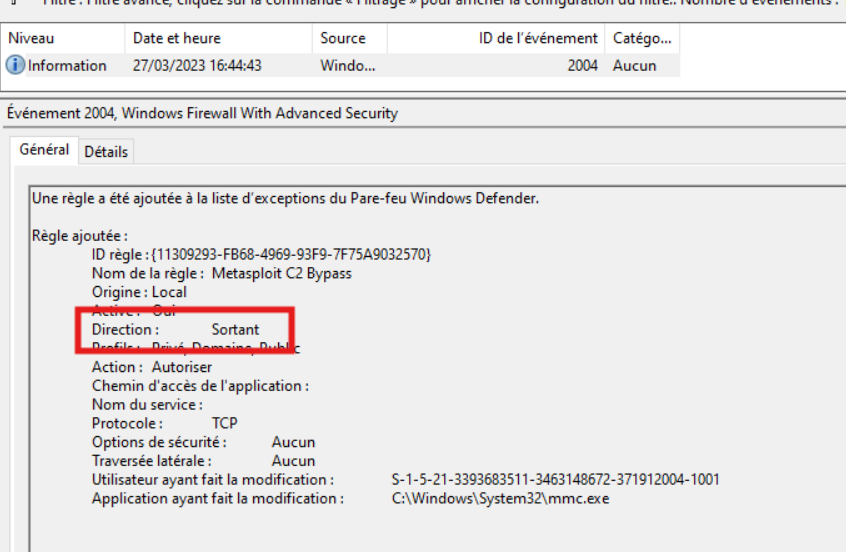
Answer : Outbound
4. The user changed audit policy of the computer. Whats the Subcategory of this changed policy?#
Event ID 4719 in Security.evtx logs any change to the audit policy, and includes the Subcategory of the modified setting.
So filter on 4719 in security.evtx
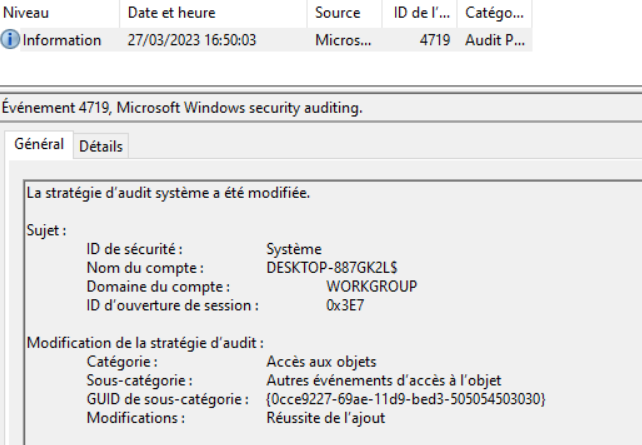
Answer : Other Object Access Events
5. The user “cyberjunkie” created a scheduled task. What’s the name of this task?#
Event ID 4698 in security.evtx are for creation of Scheduled task
./chainsaw search -t 'Event.System.EventID: =4698' .\Event-Logs\
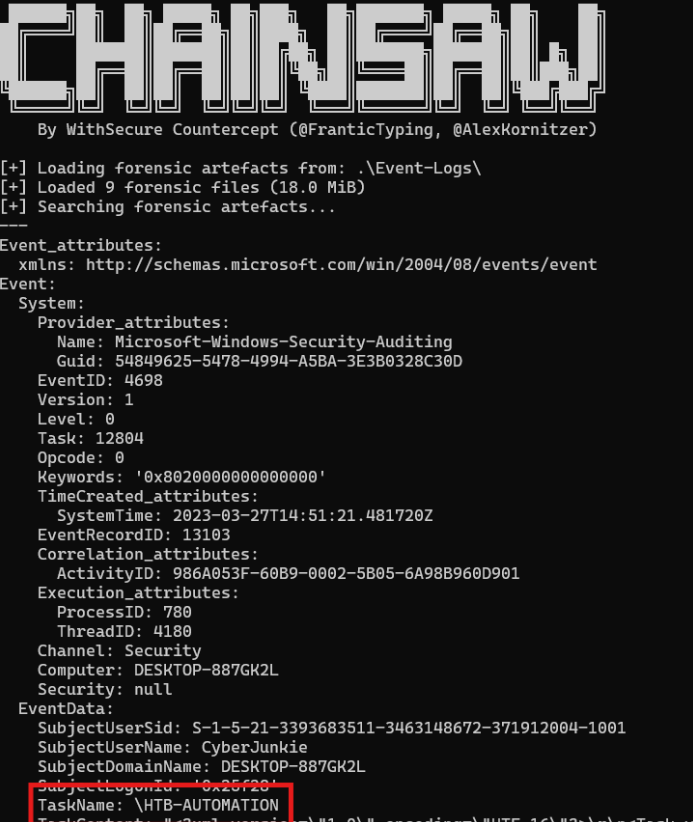
Answer : HTB-AUTOMATION
6. Whats the full path of the file which was scheduled for the task?#

Answer : C:\Users\CyberJunkie\Desktop\Automation-HTB.ps1
7. What are the arguments of the command?#

Answer : -A cyberjunkie@hackthebox[.]eu
8. The antivirus running on the system identified a threat and performed actions on it. Which tool was identified as malware by antivirus?#
Event ID1116 in Windows Defender-Operationnal.evtx is for Malware detected by an antivirus
./chainsaw search -t 'Event.System.EventID: =1116' .\Event-Logs\

Answer : SharpHound
9. Whats the full path of the malware which raised the alert?#
Answer : C:\Users\CyberJunkie\Downloads\SharpHound-v1.1.0.zip
10. What action was taken by the antivirus?#
Not visible in chainsaw result, go in event viewer and filter on 1117 events.

Answer : Quarantine
11. The user used Powershell to execute commands. What command was executed by the user?#
Event ID 4103 logs the execution of PowerShell cmdlets in a pipeline, showing the command name, parameters used, and the user who ran it.
./chainsaw search -t 'Event.System.EventID: =4103' .\Event-Logs\
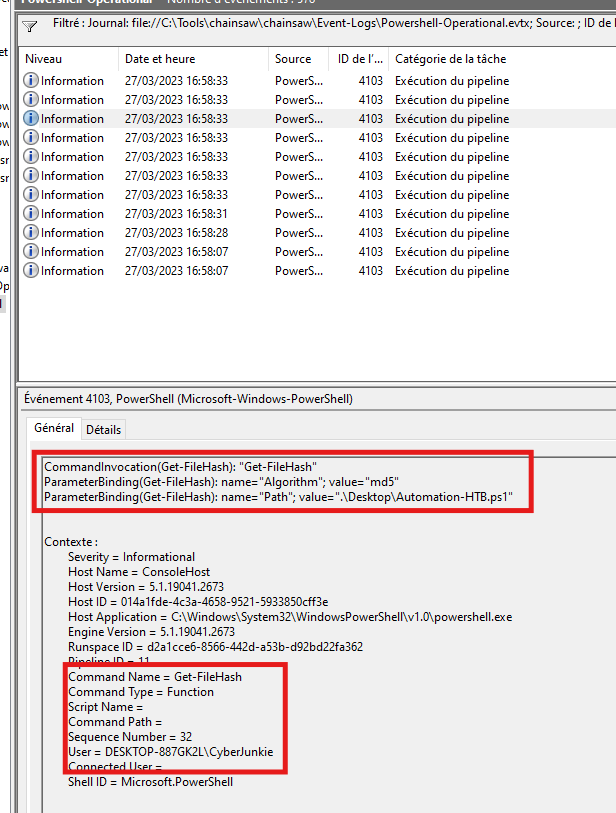
Rebuild the command with informations.
Answer : Get-FileHash -Algorithm md5 .\Desktop\Automation-HTB.ps1
12. We suspect the user deleted some event logs. Which Event log file was cleared?#
Event ID 1102 in the Security log indicates that an event log was cleared.
Event ID 104 (System log) indicates that a Windows event log was cleared, typically by a user or script.
./chainsaw search -t 'Event.System.EventID: =1102' .\Event-Logs\
./chainsaw search -t 'Event.System.EventID: =104' .\Event-Logs\
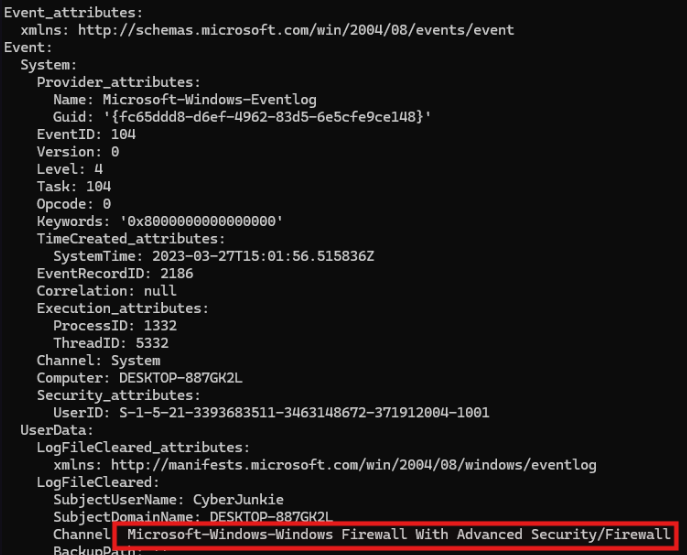
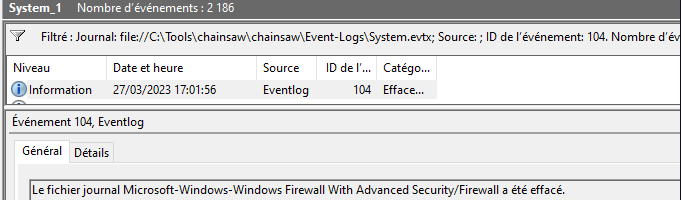
Answer : Microsoft-Windows-Windows Firewall With Advanced Security/Firewall
Congrats and thanks for reading !
